Meetings Dashboard
The Meetings dashboard shows each meeting with its meeting status, bot status, and verdicts. The tabs show meetings for the scope picked under Calendar Scope. Pick Personal to see your own meetings; if your team has an organization calendar, the page opens on Organization.
If a meeting is missing, see Troubleshooting.
Tabs
A meeting stays in Live Now until the bot leaves the call or stops trying to join. Each tab shows how many meetings it holds and lists 10 per page. The Meetings page opens on the first tab that has meetings.
Meeting cards
Each card shows:
- The platform and meeting title
- A meeting status badge, plus a bot status badge once the bot starts joining
- The date and start time (In progress now while the meeting is live)
- How many participants have joined the call
- For calendar meetings, the organizer’s email and invitee count; click it to see the Invitees list
- The start of the bot ID; click it to copy the full ID
Join Room opens the meeting link.
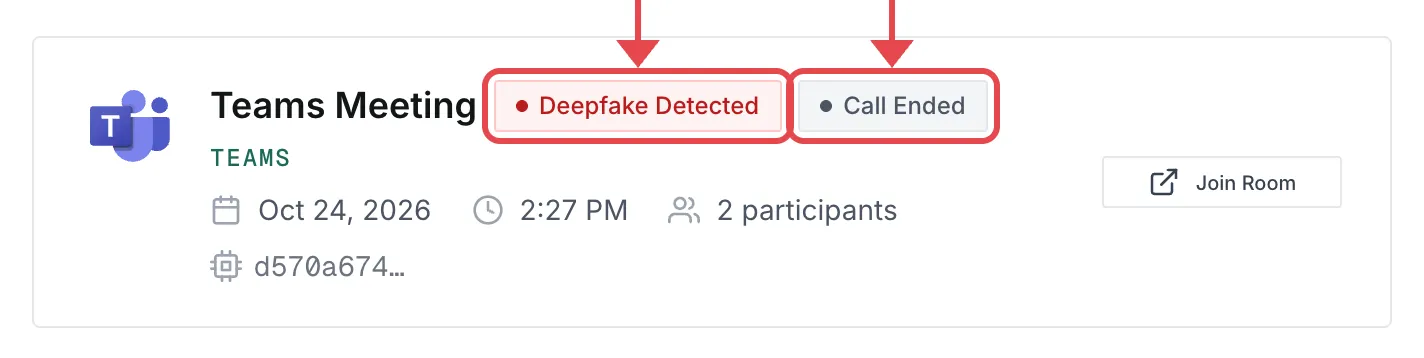
Meeting status
Bot status
Live detection
While the call runs, the bot checks each participant’s voice and video in short clips. Audio needs speech, and video needs the camera on.
-
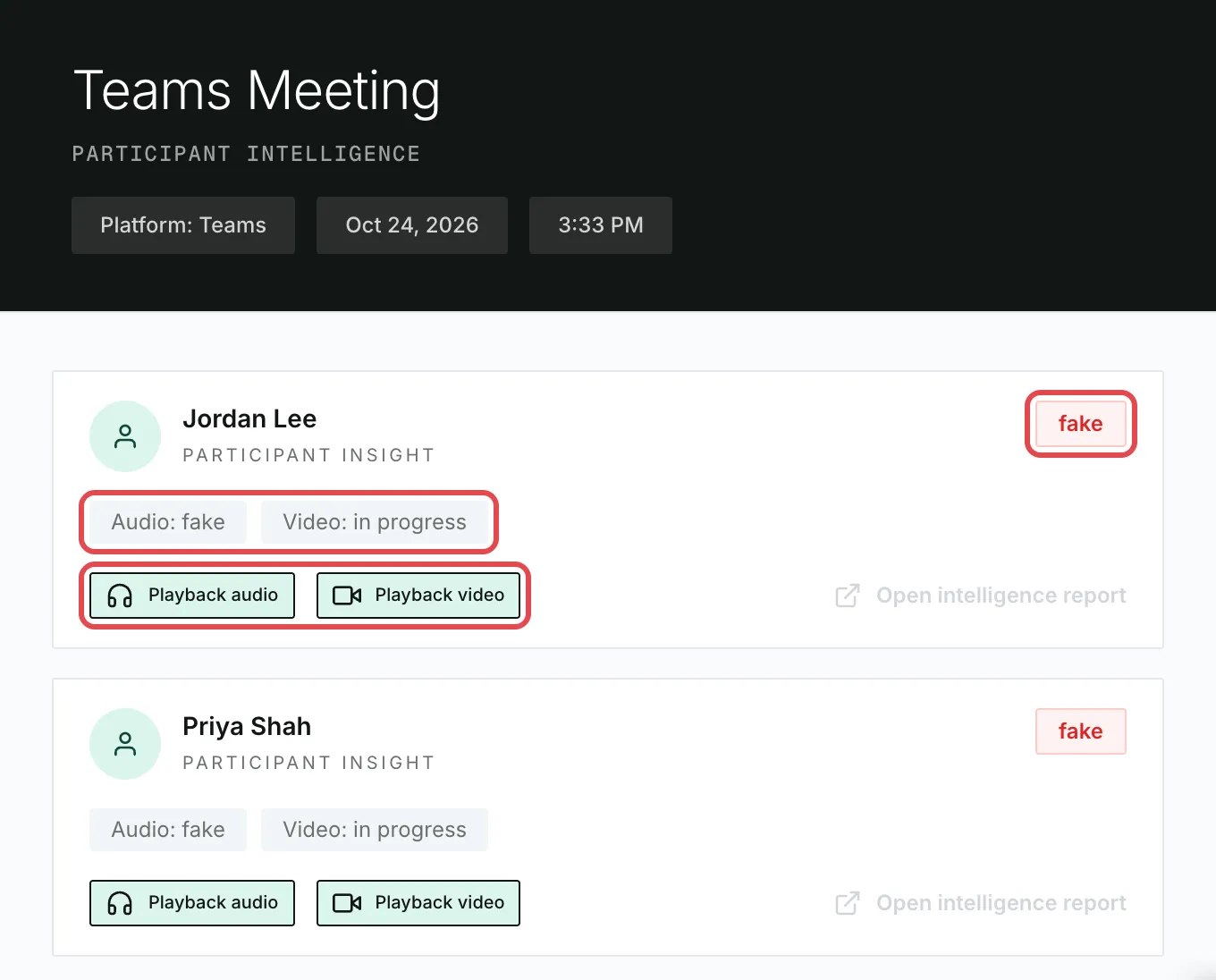
Click the meeting’s card to see each participant’s verdict so far.
-
A participant shows real once both Audio and Video are real, and fake once either is flagged.
-
When the bot flags someone, it posts this message in the meeting chat:
🚨 DEEPFAKE DETECTED:
<name>is using AI-generated content
To stop these posts, turn on In-Meeting Chat Notifications > Suppress chat notifications. Detection keeps running.
After a call
When the bot leaves the call or gives up joining, the meeting moves to Recently Protected with one of these combinations. Each row shows the bot status, then the meeting status.
A bot that leaves doesn’t rejoin if people arrive later.
Meeting details
Click a card to open its details. Each participant shows a verdict (in progress, real, or fake) and separate Audio and Video results. Playback audio and Playback video open the last short clip that was checked.